Co to jest?
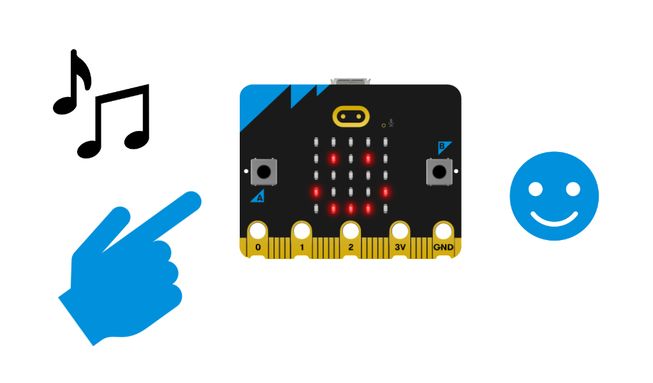
Display happy and sad icons and play happy and sad sounds on your BBC micro:bit by pressing buttons A and B. This is a great project to encourage students to talk about their feelings.
Jak to działa
- When you press button A, the micro:bit shows a happy icon on its LED display and plays a happy sound.
- When you press button B, the micro:bit shows a sad icon on its LED display and plays a sad sound.
- Inputs allow us to put data into a computer or device. In this project, the inputs are pressing buttons A or B.
- A detectable action, like a user pressing a button, is sometimes called an event in computing.
- An output is the processed information that is sent out from a computer. In this project, the output is the icons shown on the micro:bit's display and the sounds that are played from the micro:bit’s speaker.
Czego potrzebujesz
- micro:bit V2
- Edytor MakeCode
- pakiet baterii
Code your project
Oto bloki, których potrzebujesz, aby stworzyć projekt - teraz je połącz.
Instrukcje krok po kroku
- Otwórz projekt, aby znaleźć bloki, których potrzebujesz za pomocą przycisków powyżej.
- Znajdź i wybierz blok pokazujący ikonę szczęścia.
- Put it inside the on button A pressed block.
- Find and select the play giggle until done block.
- Put the play giggle until done block inside the on button A pressed block underneath the show icon happy block.
- Change the sound giggle to happy in the play giggle until done block.
- Find and select the show icon sad block.
- Put it inside the on button B pressed block.
- Now select the remaining play giggle until done block and put it inside the on button B pressed block underneath the show icon sad block.
- Change the sound giggle to sad in the play giggle until done block.
- Download the program to your micro:bit, attach a battery pack, and try it out!
Zrób to po swojemu
- Try out some other sounds in the play giggle until done block. Istnieje 10 do wyboru.
- Wybierz różne ikony do wyświetlenia taki jak zły, zdezorientowany lub zaskoczony.
Przykład ukończonego projektu
Może Ci się spodobać
Protect your cookies with an audible alarm.
Send a duck between two micro:bits and hear it say hello!
Counts 10 steps then plays a tune.
This content is published under a Creative Commons Attribution-ShareAlike 4.0 International (CC BY-SA 4.0) licence.